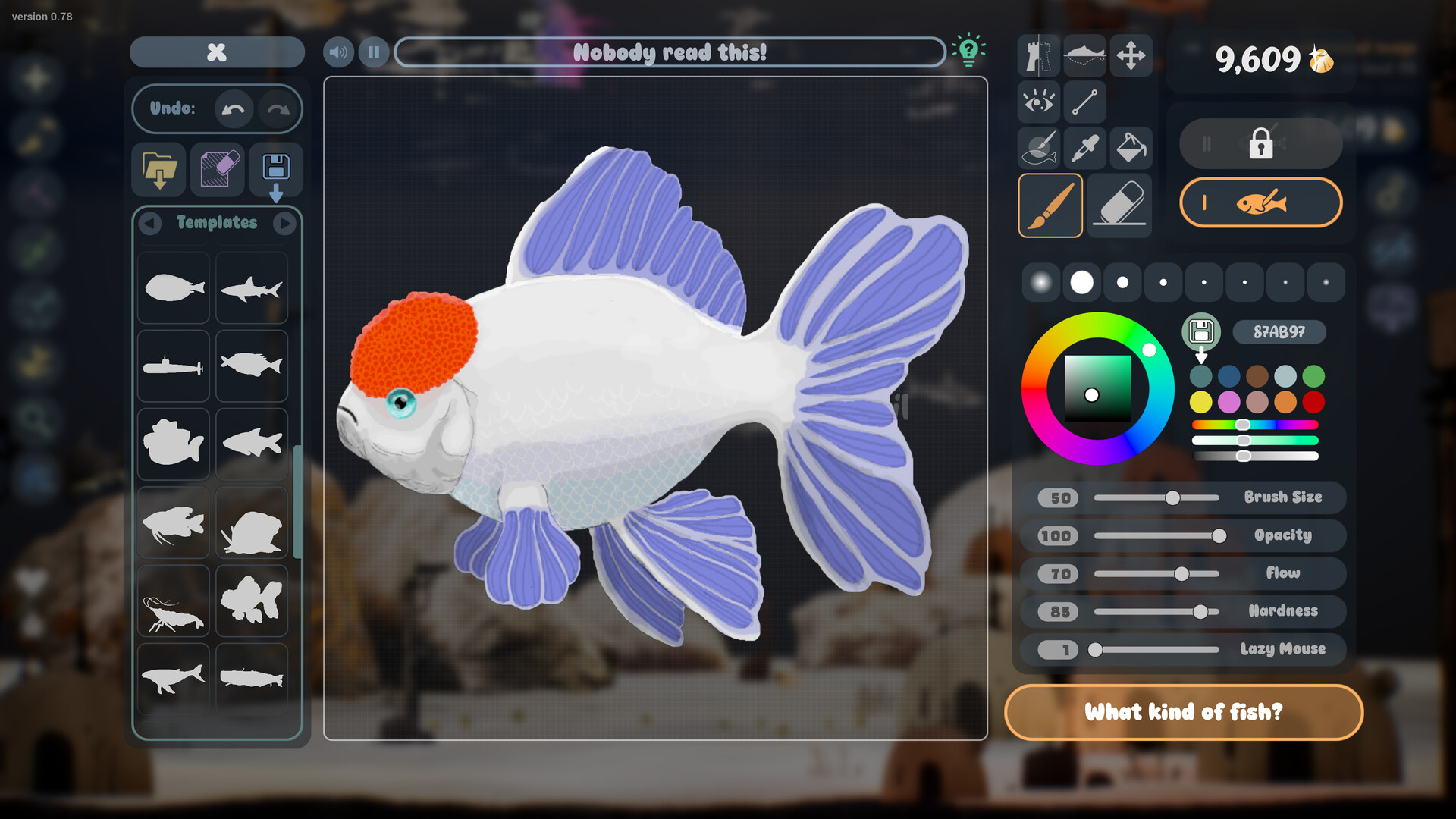
Draw Your Fish and Build a Personal Aquarium
Drawquarium is a cozy single-player aquarium sandbox from byKaleb and publisher rokaplay, where you draw fish and plants, care for your creatures, and collect Golden Scales to unlock creative options. Start with the free Drawquarium Demo on Steam for Windows.
Recognize the Game Before You Download
Look for the Steam listing that names byKaleb as the developer and rokaplay as the publisher. This is the aquarium game where your artwork becomes part of a living tank. Its main activities are drawing, feeding and raising creatures, collecting scales, and decorating your underwater space.
Your aquarium can also become an animated desktop wallpaper. That makes it useful as a place to visit while you work or unwind, alongside its drawing and care activities. The game is single-player, so start by thinking about the aquarium you would enjoy creating and watching.
Start With the Steam Demo
The free demo and the paid full game have separate Steam listings. The full game's planned release date is November 13, 2026, and its listing currently accepts wishlists. Use the demo to begin playing while the full release is still ahead.
- Open the official Drawquarium Steam page to identify the game by its developer, publisher, and aquarium description.
- Review the demo's system requirements before installing so you can compare its Windows requirements with your computer.
- Choose Install Demo on the free Drawquarium Demo Steam page to get the playable demo.
- Begin with a simple drawing or a template so you can try bringing a creation into your aquarium without planning an elaborate design.
- Wishlist the full game on its Steam page if you want to follow the upcoming release after trying the demo.
Check Your Platform and Input
Windows PC through Steam is the supported desktop route. The listed minimum operating system is Windows 10 64-bit. The official FAQ does not list Linux or Steam Deck as officially supported, so use a supported Windows setup when choosing how to start.
You can begin with ordinary mouse input: both Steam listings include a Mouse Only Option. You can also use templates to help with a drawing, and the full game's description offers ready-made fish. There is room to enjoy the aquarium even if drawing freehand is not your favorite part.
Choose How You Want to Create
For a personal drawing, start with a simple shape or use a template for inspiration. You can draw your own plants as well as fish, then place your vegetation around the aquarium. Treat the opening session as a chance to find a style you enjoy, whether that means recognizable animals or unusual little creations.
The full game also supports importing PNG images, including artwork made outside the game. That gives an existing drawing a route into your aquarium without recreating it with the in-game tools. If external artwork is your main reason for playing, use the full-game PNG workflow rather than relying on the reduced demo's Import feature.
Understand What You Are Working Toward
Creating a fish is the beginning of its life in the tank. Feeding and regular care help your creatures grow, while well-cared-for fish can develop a metallic shimmer as they age. Golden Scales provide progression by unlocking brushes, templates, decorations, and other customization options.
As your aquarium develops, its inhabitants can form friendships, rivalries, and romantic relationships. You can also change its appearance with sand, lighting, rocks, and driftwood. Choose a small creative goal for each visit, such as trying a different plant design or finding a decoration that suits your tank.
Bring the Aquarium to Your Desktop
Desktop Wallpaper Mode lets you observe, feed, and play with your fish on your desktop. The full game also includes a journal, task manager, timer, and customizable clock. Try these tools when you want the aquarium to accompany a work or study session.
Choose Your Next Guide
Use the drawing pad guide when your next task is choosing between a mouse, pen tablet, or external artwork. Use the fish care guide when you want to focus on feeding, cleaning, growth, and relationships. For your opening session, keep the goal modest: get comfortable creating something you want to see swimming.